
Free Blogger templates

Powerful new website themes
The most up to date blogging themes to make the biggest impact on your website visitors.

Support with your theme
Help with your new blogger template to get you up to speed asap.

The latest features
All the latest features and updates to keep you ahead of the curve in making your blogger template website very appealing to visitors.
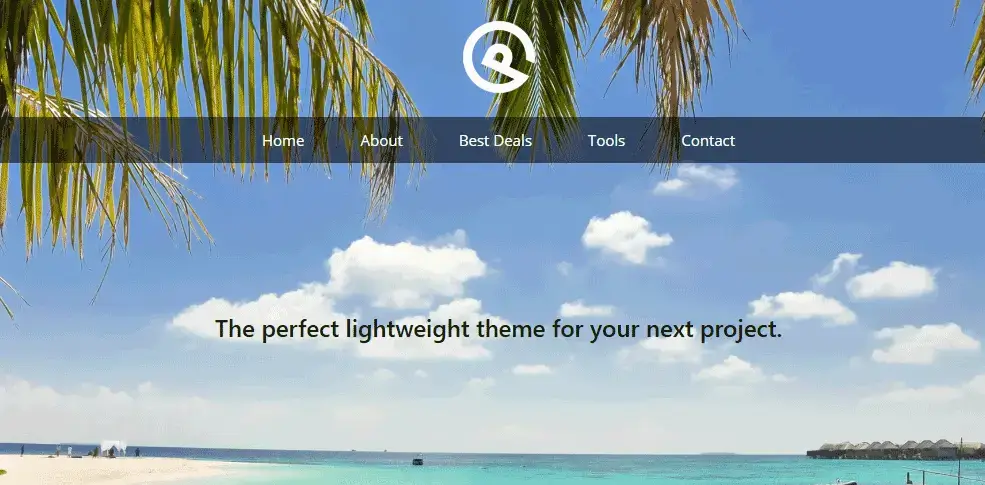
Generate press: easy to build
Blogger Travel template Generate Pro : Fast template & header with easy-to-build tool Out-of-the-box this template can run at 4.4 secs. We got it down to …….. The builder is very easy to use yourself. Easy demo of overlaying your logo on a photo or backround Easy overlay of your menu. Easy full screen width…

Buycarbonate : Fast Template
Buycarbonate fast template Buycarbonate is one of the fastest WordPress templates we have come across. (0.6 seconds to load!!) It is very basic but can be easily be enhanced with a few well-designed images. As the focus is on speed it does without extra add on and enhancements but has the powerful advantage of being…

Blogger templates Celeste
Celeste blogger theme How to set up the Celeste free blogger template. We will be discusssing the customizer options in WordPress which you will find under appearance, customize in the WordPress control panel of your blog. The changes we make here affect the whole of the site and because of this, they are called global…

Blogger templates educational style
LMS Educational themed blogger templates In order to establish trust in a new blog site, it must look the part and there is no need to start from scratch when your task is to create an educational blog. Templates are available whether you are working for a school or whether you are running a course…

Blogger templates medical equipment
Blogger templates of medical equipment In order to present medical equipment in a way that generates interest in your target market, be sure to select a graphical look and feel that is in keeping with the medical industry. Buying one of the available blogger medical templates saves so much time and expense of having a…
Blogger and WordPress templates compared
Free Blogger templates Powerful new website themes The most up to date blogging themes to make the biggest impact on your website visitors. Support with your theme Help with your new blogger template to get you up to speed asap. The latest features All the latest features and updates to keep you ahead of the…

Cheap fast wordpress hosting
Home Services Contact × Home Services Contact Cheap fast WordPress hosting to help get you get top rankings. Are you using a host that could be losing you visitors because it’s not fast? You may have chosen your host based purely on the monthly cost and you probably didn’t know how fast or slow it…

Generate Press free template and Pager Layer
How to make your WordPress site lightning fast. Why do you want a fast WordPress template? Because you’ll lose 53% of your visitors if you take longer than 3 secs. Free and premium templates : summary of speed tests. Click through on the TEMPLATE column to download a fast template: Template: click through Overall…

Generate press (lightweight)
About this template Generate Press : Fast template & header with easy-to-build tool This Out-of-the-box the free template will show your site in 4.4 secs. We got it down to 3.3 secs by enabling “Keep alive” and installing “gzip”. Just ask your host to do this. It’s relatively easy and makes your site a few…
Generate press: easy to build
Blogger Travel template Generate Pro : Fast template & header with easy-to-build tool Out-of-the-box this template can run at 4.4 secs. We got it down to …….. The builder is very easy to use yourself. Easy demo of overlaying your logo on a photo or backround Easy overlay of your menu. Easy full screen width…
Buycarbonate : Fast Template
Buycarbonate fast template Buycarbonate is one of the fastest WordPress templates we have come across. (0.6 seconds to load!!) It is very basic but can be easily be enhanced with a few well-designed images. As the focus is on speed it does without extra add on and enhancements but has the powerful advantage of being…

Fast free WordPress themes for business and ecommerce
Choosing a fast wordpress theme for your business could bring in thousands of extra dollars without you spending a penny more on advertising. Are you using a theme that could be losing you visitors because it’s not fast? You may have chosen your theme based on its appearance, or an effect that appealed to you…

Blogger templates travelling
Blogger templates travelling If you are planning on a travel adventure, you could set up a travel blog to record all the places you see, together with photos along your route. The interactivity that today’s blogs offer, will make your diary a very live and interactive record of your travels. Just think of all the…

Free Blogger templates classiclink
Free Blogger Templates btempates.com is a free templates site run by Google, that categorizes 4,000 free templates under approx 30 categories eg. music, family home etc. All templates at btemplates.com are hosted by Google so that you can be sure of a good hosting platform with solid uptime. And it is all free. This means…
- « Previous
- 1
- 2
- 3



Carpet tile wholesale
An in-house template, customised to suit a carpet tile ecommerce site.
Live site
Ai Beauty Clinic
A standard WordPress Template
Live Site.
Mittal Hair Clinic
Hair transplant clinic in London using a Flatsome template.
Live site
Create themes and layouts for blogging using the blogger template platform.
What is a Blogger template?
A blogger template is a pre-designed layout you can use to create your own blogging layout and content on blogger.com.
Blogger.com hosts websites and is free. You can therefore present complete blogging layouts including hosting, free of any charge. You do not have to do any graphics or designing skills. And you can choose to create it from a huge range of themes.
When you buy a premium blogger template you can download it and then move it over to blogger.com
Are all Blogger templates free?
If you want something a little special, there are premium themes and layouts in templates you can choose from. These are usually not very expensive and can make your site and your blogging posts stand out a little more.
Bear in mind that whatever you set up and whatever content you post, will always have blogger.com as part of your address because it is being hosted by blogger.com
How to choose a Blogger template?
A simple search for "free blogger templates" will give you thousands of templates to choose from. To create your own blogging content, just dive right in. Mistakes are easily corrected.
What is a responsive blogger template?
This is a template that will automatically adjust elements on the page to suit the device you are using
For example, if you are viewing your site on a cell phone, the image sizes will be adjusted to fit. There will also be what is called a 3 line hamburger menu which expands out into full navigation when you touch it.
All navigation is carried out by touch on a mobile, rather than clicking a mouse.
All the functions that are available on tablets and cell phones are created using responsive web design tools.
Content ideas
Many of the principles used for search engine optimization on stand-alone sites can be used on the blogger platform.
Questions and answers are a favourite search in google and can be put to good use in your Blogger content, built on a responsive web design installation.
Blogger questions and answers often appear in Google frequently asked questions in SERPs and it is a solid strategy to add them into the page, for good search engine optimization.
Blogger is Google's free blog platform. BlogSpot on the other hand is a free domain service provider.
They are used together on the one platform blogger.com where you will create your site. As they are both owned by Google they are particularly safe from being hacked.
Free Blogger templates
Because Blogger is the service of a free theme provided by Google, it is very popular with those starting out in the world of blogging and who want to get content published
There is no maintenance involved, and security is under the protection of Google itself. So your site is going to be secure from hackers etc.
Do bear in mind that Google can decide to unpublish your site for any reason.
Also, you will not have the functionality and control over how it works if it were a standalone site, but if you're starting out in the blogging world, that may not be a factor.
You can adjust CSS which gives a degree of control over how your content will look.
There are dedicated plugins that will allow you to adjust this functionality. So you could add in things like social postings on Instagram or Whatsapp.
Blogger has developed its own gadgets which will allow you to add in functionalities like:
- Search
- Adsense
- Ad display
Because blogger has been around for such a long time there is a huge range of options you can go for when you pick a theme to use.
This page at www.gooyaabitemplates.com offers some very up-to-the-minute designs.
There are literally thousands to choose from. The reason they are free is the developers hope you will require some customization, but that still allows you to experiment and try out a big range of graphic designs, which you would be hard pressed to do yourself unless you are a designer,
Some of the free templates at btemplates.com are very attractive.
Clearly, there must be many users of blogger.com who use themes because developers and providers keep uploading the latest artistic trends as far as web page design is concerned.
They offer filters at the start so you can select and narrow down your preference by style, features topics and colours.
Lastly, they give a live demo of the templates so you can get a feel of how it will look before you go to the effort of installing it on your blogger.com blog.
Why speed matters.
The purpose of this site is to compare the speeds of different templates and platforms.
In particular, we test a range of WordPress templates versus free blogger templates, hosted by google.
The reason speed is important is because of the percentage of people who click away after a few short seconds if they don’t get what they want. The latest estimates put this at 53% clicking away after 3 seconds.
Losing traffic can be an expensive business and it's worth considering anything that will keep them on board, no matter what template or platform you use.
Tutorials on Using Blogger.com
There are a number of good resources on how to set up blogger.com
Shoutmeloud.com offers some great SEO tips here
Blogger.com has been around for such a long time that analysts tend to use it for research.
Hubspot have an overview here of blogger templates
Here are often-asked questions about blogger.com.
A blogger template lets you create your own blog using a predesigned layout, over which you have some design control. It is hosted on Google’s blog hosting platform (blogger.com) and there are many templates to choose from. They are all free to use, including the template itself and the hosting.
As with most blogging platforms, you can publish many different types of content including text, images and video.
Inside blogger.com on the left-hand menu, there is the option to select a template of your choice.
One advantage of blogger.com is the range of templates that you can choose from, and update very quickly with your own content.
This is too broad a question to answer specifically, but in our section on free templates, we link to big providers of blogger.com themes, all for free and which allow you to pick by the niche you are in, the colours you prefer and other options.
The best answer is to go and try them out. Pick a few and look at the demos. Then you will be in a better position to decide what is best for you.
After you have selected a template to use, the “Customise” button opens up and offers you many design options.
These include background images and main colour themes.
“Advanced” offers you Font options, colours, sizes, style etc.
We mean that your content is optimized when it is fully set up under a keyword or phrase.
Important things the engines look for in order to rank your page are your title and your page heading and also occurrences of your keyword in your text.
Other things you can do are :
name your top image as the keyword and set the alt tag as the keyword as well.
These steps help strengthen your content as being all relevant and focused on your keyword.
These steps are very rudimentary. You really need to run an optimisation report on your site using a free tool, to get more in-depth guidance on optimising your content.
A big question. For basic optimization ensure you at least do the following:
Put your keyword in your page title and the H1 tag (sometimes called a page header).
Ensure your body text contains the keyword a few times.
Run a free SEO site assessment tool. You can usually get one on a free trial. There are plenty of them to choose from. The better ones will highlight things you can do to better optimize your site and will give precise steps to help.
The more of a niche market you are in the easier it will be to rank in the search engines.
You will find things easier if you are a local service provider and can include your town or city in your main keywords because this substantially cuts down on the possible competition.
On the blogger dashboard, click on the template tab.
You will see a Mobile template option.
There is a Gear below it to allow a mobile theme.
Select it and save your options.
Sign into your blogger account and select your blog.
The left-hand menu shows “Theme”.
Under “My theme” click “more” which then lets you edit your HTML code.
Always remember to save your options.
Sign in to your blogger and select your blog.
Now locate your post for the new image.
At the top bar, you will see an option to add an image.
Simply select your image and you are done.
Inside your WordPress blog, go to tools, and import and you will see an option for blogger.
You will be asked to install a plugin that imports posts, comments & images, but not pages or templates.
Pages you will have to recreate yourself inside WordPress but that should be straightforward on a copy-paste method.
In Blogger, go to the left-hand menu and select settings.
Choose, other & on the right-hand side, click backup and save.
The output you have just created is called XML and you can use this to import it into WordPress.
In WordPress, go to Tools, Import
You will also have to adjust your permalinks in WordPress to handle the slightly different file paths of your posts and pages but there are plenty of tutorials to show you how to do this.
The point is, yes, you can move from Blogger to WordPress.
A personal blog is started by someone who wants to communicate something about their lifestyle, activity point of view, or specific interests with a wider public.
You can treat your blog as a personal diary and enhance it by adding images and videos.
Allowing approved comments increase the readership of your blog because many readers will also follow the conversations you strike up.
Every month over 400 million users read over 20 billion blog posts.
If you are into marketing or launching a product or a service, then this is a very rich platform to tap into.
Blogs are very successful in connecting personally with people and this generates conversations and virality, all of which are elements of a solid marketing campaign for whatever activity you are involved in.